How To Play With the Ambient Sound Mixer
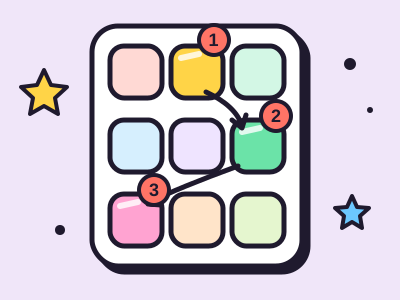
Every tile is one sound. Tap a tile to switch it on, and tap it again to switch it off. The slider under each tile sets how loud that sound is in your mix. You can turn on one sound or all sixteen at once.
Here is what is in the box:
- Weather: rain, thunder, wind and wind chimes.
- Water: ocean waves and a babbling stream.
- Nature: a crackling campfire, birds and night crickets.
- Home and city: a fan, a ticking clock, a purring cat and passing traffic.
- Plain noise: white, pink and brown noise.
The bar at the top controls everything together. Play and Pause stop or start the whole mix, the big slider sets the overall volume, and the speaker button mutes it. Press Random mix if you cannot decide, and the mixer picks a calm base sound plus a couple of extras for you.
What Your Score Means
There is no score to beat here. Your result is your mix, written out like “Rain 60%, Campfire 40%”. That line goes into your share message, and the link carries the same sounds and volumes so a friend hears exactly what you made.
A few kinds of mixes tend to work for different moods:
- Focus mixes use a steady bed like brown noise, a fan or soft rain, with nothing that pops out and grabs your attention.
- Sleep mixes stay low and slow. Waves, rain and a purring cat are gentle picks.
- Cozy mixes add little details, like a crackling fire or a clock, over a soft base.
Tips To Improve Your Mix
- Start with one base sound. Pick something steady, like rain or the stream, and set it first. Then add details on top at lower volumes.
- Keep the busy sounds quiet. Birds, chimes and traffic are fun at 20 to 40 percent. Any louder and they take over.
- Use the sleep timer. Set it before bed and the mix fades out over the last minute, so it never stops with a sudden click.
- Save the good ones. Type a name and press Save. Your mixes stay in this browser so you can bring them back with one tap.
- Try headphones. Rain drops, birds and cars are spread from left to right, which sounds much roomier in headphones.
How the Sounds Are Made
None of these sounds are recordings. Your browser builds them from scratch while you listen. Most start as noise, a hiss made of random numbers. White noise has the same energy at every pitch, pink noise has less at the high end, and brown noise has even less, which is why it sounds like a deep rumble.
Filters then shape that noise. A filter that keeps the high part and adds thousands of tiny clicks becomes rain. Slow swells that rise and fall every few seconds become waves. Sharp little bursts at random times become a campfire. Birds are short beeps that slide down in pitch, and crickets are fast pulses of one high note.
Because the sounds are made fresh each moment, they never loop in an obvious way. The rain you hear right now has never fallen in exactly that pattern before, and it never will again.