How To Play the Aim Trainer
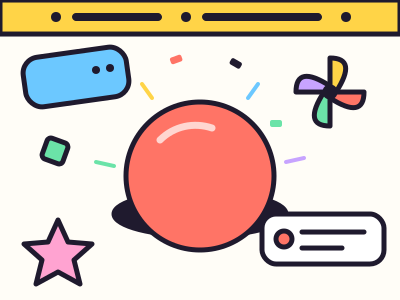
You start with one red and white target in the middle of the board. Hit it and the round begins.
A new target pops up somewhere else on the board. Hit it, and the next one appears right away. There are 30 in total. The bar at the top shows how many are left and how long you have been going.
If you click or tap empty space, that counts as a miss. A little red cross shows where it landed. Misses do not end the round, but you still have to reach the target, so they cost you time.
After the last target, you see your result card. Press Play again to start a new round, or Restart in the top bar if a round goes badly and you want a fresh try.
You can play with a mouse, a touchpad, a pen or your finger. Keyboard players can press Tab to reach the target and then Space or Enter to hit it. That is handy, but only a mouse or finger really tests your aim.
What Your Score Means
Your main score is the average time per target, in milliseconds. A millisecond is one thousandth of a second. Lower is better.
- Under 300 ms: very fast. Your eyes and hand are working as a team.
- 300 to 450 ms: quick and steady. You are moving with purpose and not wasting much time.
- 450 to 600 ms: a relaxed pace. A few more rounds usually push this down.
- Over 600 ms: you are taking your time, which is fine. Try to move before you feel fully sure.
Your device matters a lot. A mouse is usually fastest. A touchpad needs bigger finger movements and is often slower. On a phone, your finger covers the target as you tap, which feels different again. Compare your scores against yourself on the same device, not against someone using different gear.
The card also shows your accuracy. If it is below about 90%, you are rushing a bit.
Tips To Improve
- Look first, then move. Your eyes should land on the new target before your hand starts moving.
- Move in one smooth line. Small corrections at the end waste time. Aim for one clean swoop.
- Relax your grip. A tight hand is a shaky hand. Hold the mouse lightly.
- Use your arm for big jumps. Wrist for small moves, arm for big ones.
- Warm up. Your first round is almost never your best. Play three or four before you judge yourself.
- Check your mouse speed. If you keep overshooting, lower the pointer speed in your settings.
Why an Aim Trainer Helps
Aiming is a mix of three skills: spotting where the target is, planning the move, and stopping your hand in the right place. An aim trainer lets you practice all three in a short, simple loop with a clear number at the end.
That is why players of fast shooting games like to warm up with drills like this before a match. Even if you never play those games, it is a fun way to see how sharp you feel today. Try a round in the morning and another at night and see if the number changes.